SuperX
AI Chat Application with MCP Integration
Project Overview
SuperX is a production-ready AI chat application that demonstrates the power of Model Context Protocol (MCP) - an open standard that lets AI assistants connect to external tools and data sources securely. Unlike traditional chatbots limited to their training data, SuperX can fetch real-time information about flights, weather, restaurants, and events.
The application supports multiple AI providers including OpenAI, Anthropic, Google, and Groq, with a unique Bring Your Own Key (BYOK) feature that allows users to use their personal API keys for unlimited usage. All keys are stored locally in the browser, ensuring complete privacy.
With features like streaming responses, tool call visualization, chat history persistence, rate limiting, and Google OAuth authentication, SuperX serves as a comprehensive reference implementation for building modern AI-powered applications.
What is Model Context Protocol (MCP)?
Model Context Protocol (MCP) is an open standard developed by Anthropic that enables AI assistants to securely connect to external data sources and tools. Think of it as a universal adapter that lets AI models interact with the real world - fetching live data, executing actions, and accessing information beyond their training data.
Without MCP, AI chatbots can only respond based on what they learned during training. With MCP, they can:
- Search real-time data (flights, weather, events)
- Connect to external services (GitHub, Slack, Notion)
- Execute actions on behalf of users
- Access live databases and APIs
How MCP Works in SuperX
User Query
You ask a question like "Find flights to Tokyo"
AI Selects Tool
AI identifies the right MCP tool and extracts parameters
Real-time Results
Tool fetches live data and AI presents it naturally
MCP in Action: 3 Examples
User prompt:
"Find me flights from San Francisco to Tokyo for next Friday, business class"
MCP Tool Called:
search_flights({
  departure: "San Francisco",
  destination: "Tokyo",
  date: "2026-01-17",
  cabin: "business",
  passengers: 1
})
What happens:
The AI extracts your intent, calls the search_flights MCP tool with the right parameters, receives real flight data, and presents options with prices, airlines, and booking links.
User prompt:
"I'm planning a trip to Paris. What's the weather like and find me some good hotels near the Eiffel Tower"
MCP Tools Called (Multi-step):
// Step 1: Weather check
get_weather({ city: "Paris" })

// Step 2: Hotel search
search_hotels({
  location: "Eiffel Tower, Paris",
  checkIn: "2026-01-15",
  checkOut: "2026-01-18"
})
What happens:
SuperX supports multi-step tool execution (up to 5 steps). The AI recognizes you need both weather and hotel info, calls both tools sequentially, and combines the results into a comprehensive travel brief.
User prompt (with GitHub MCP enabled):
"Show me the open issues in my react-dashboard repo and create a new issue for the login bug"
MCP Tools Called:
// Step 1: List issues
github_list_issues({
  repo: "react-dashboard",
  state: "open"
})

// Step 2: Create new issue
github_create_issue({
  repo: "react-dashboard",
  title: "Login bug",
  body: "Bug report created via SuperX"
})
What happens:
With custom MCP servers, SuperX can connect to your development tools. Enable the GitHub MCP server in settings, provide your token, and the AI can read, search, and even create issues, PRs, and more - all through natural conversation.
Application Screenshots
Main Interface
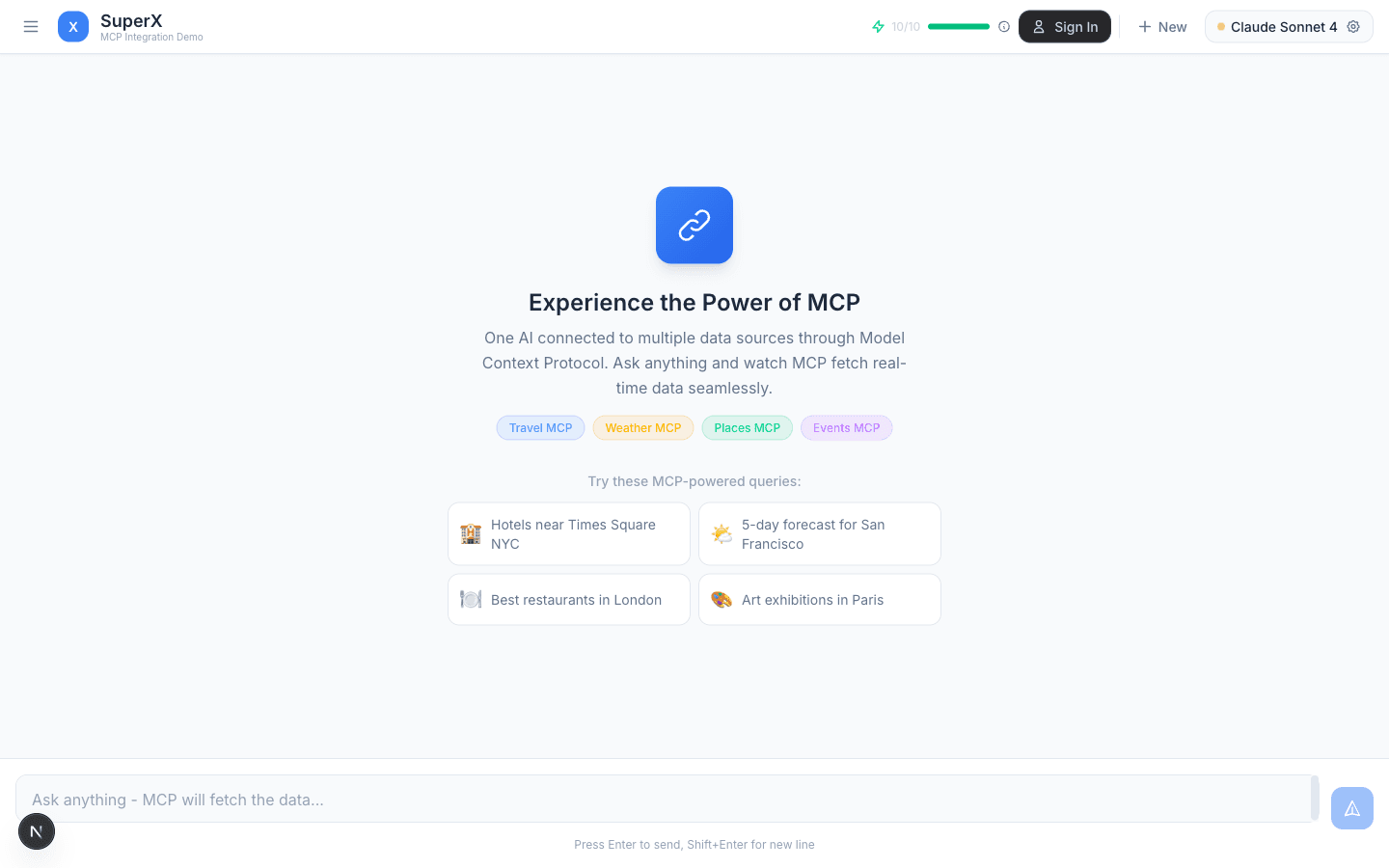
Homepage with MCP-powered query suggestions, credits display, and model selector
Settings & Configuration
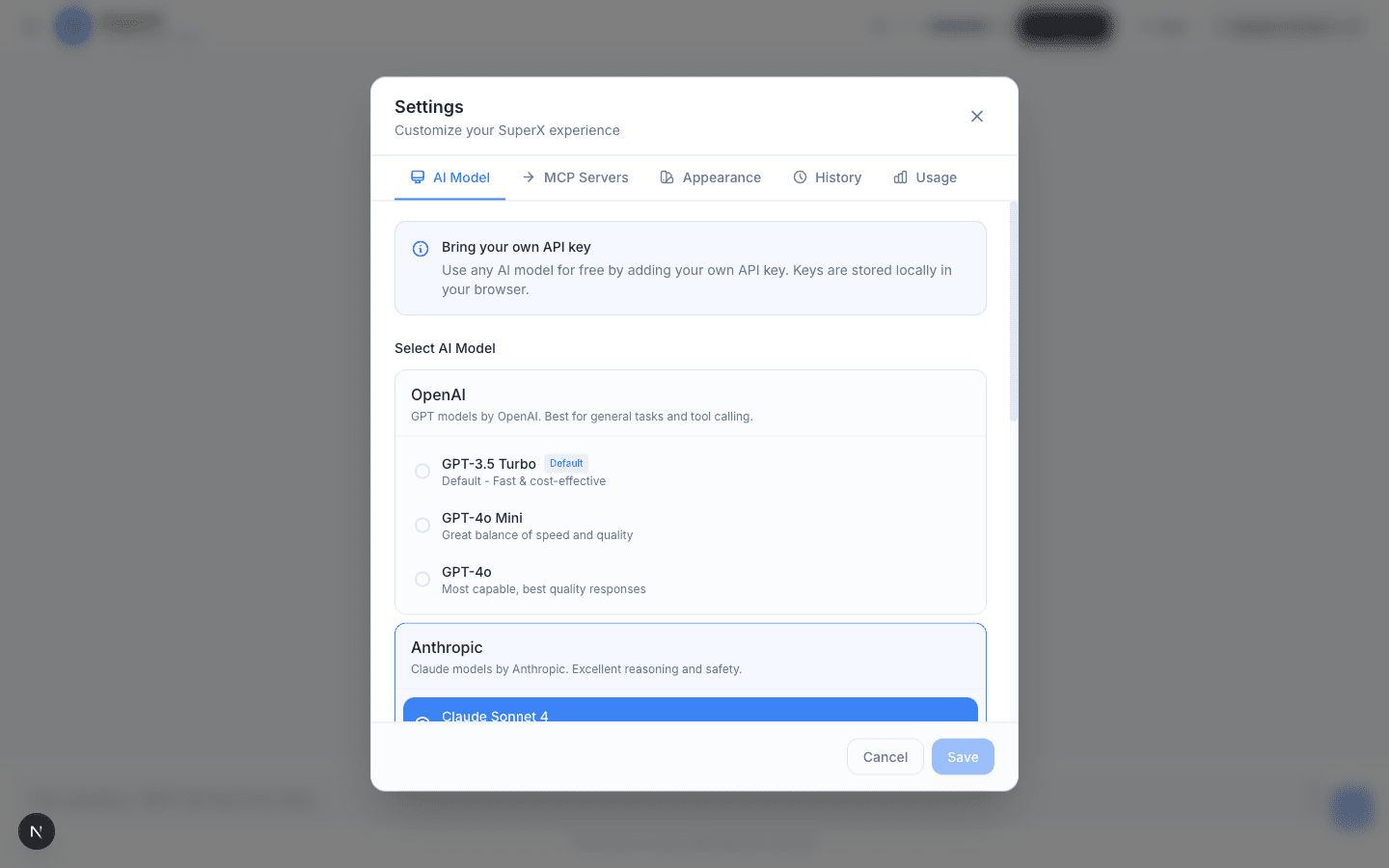
AI Model selection with 10 models across 4 providers
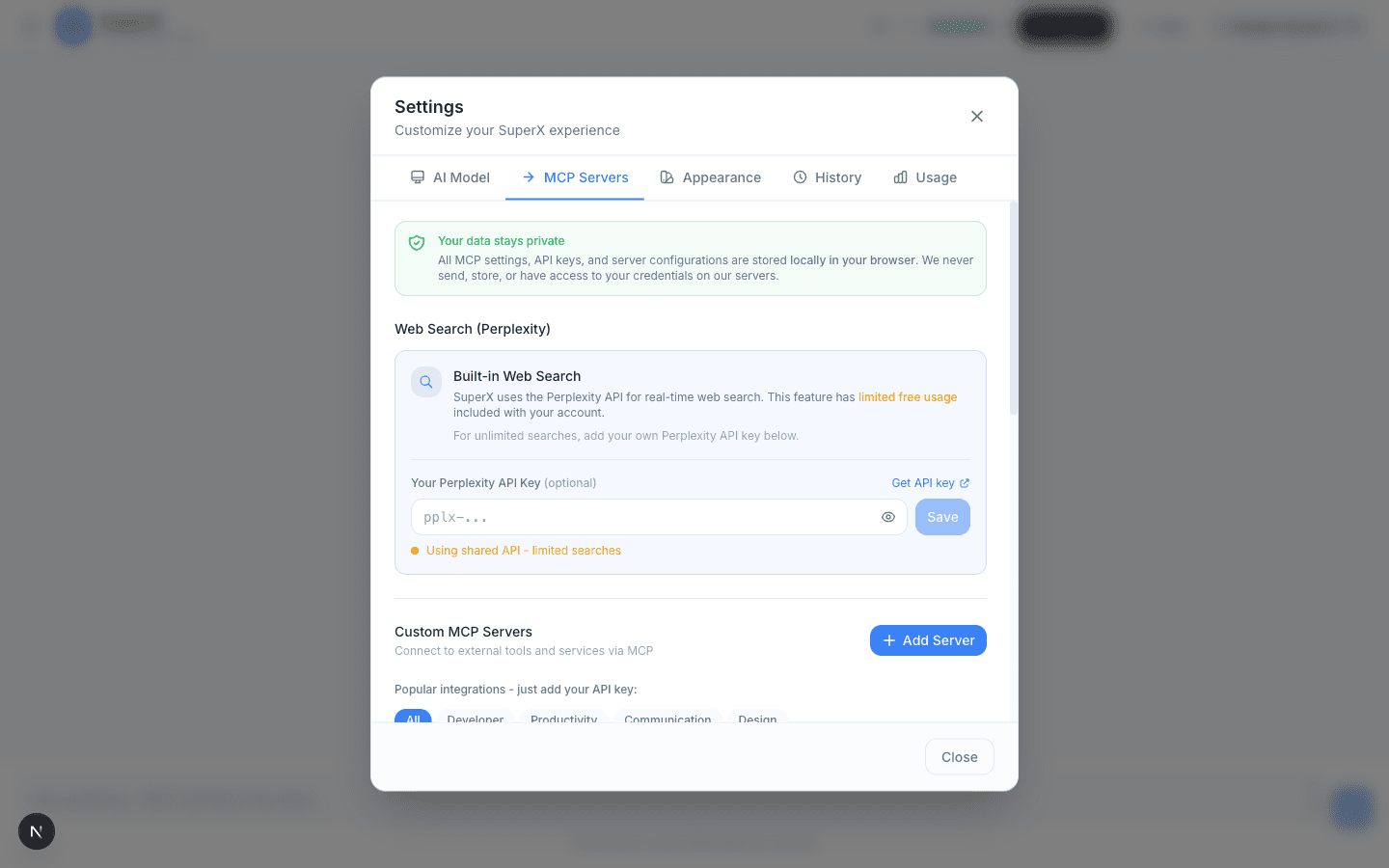
MCP Servers with 12+ popular integrations
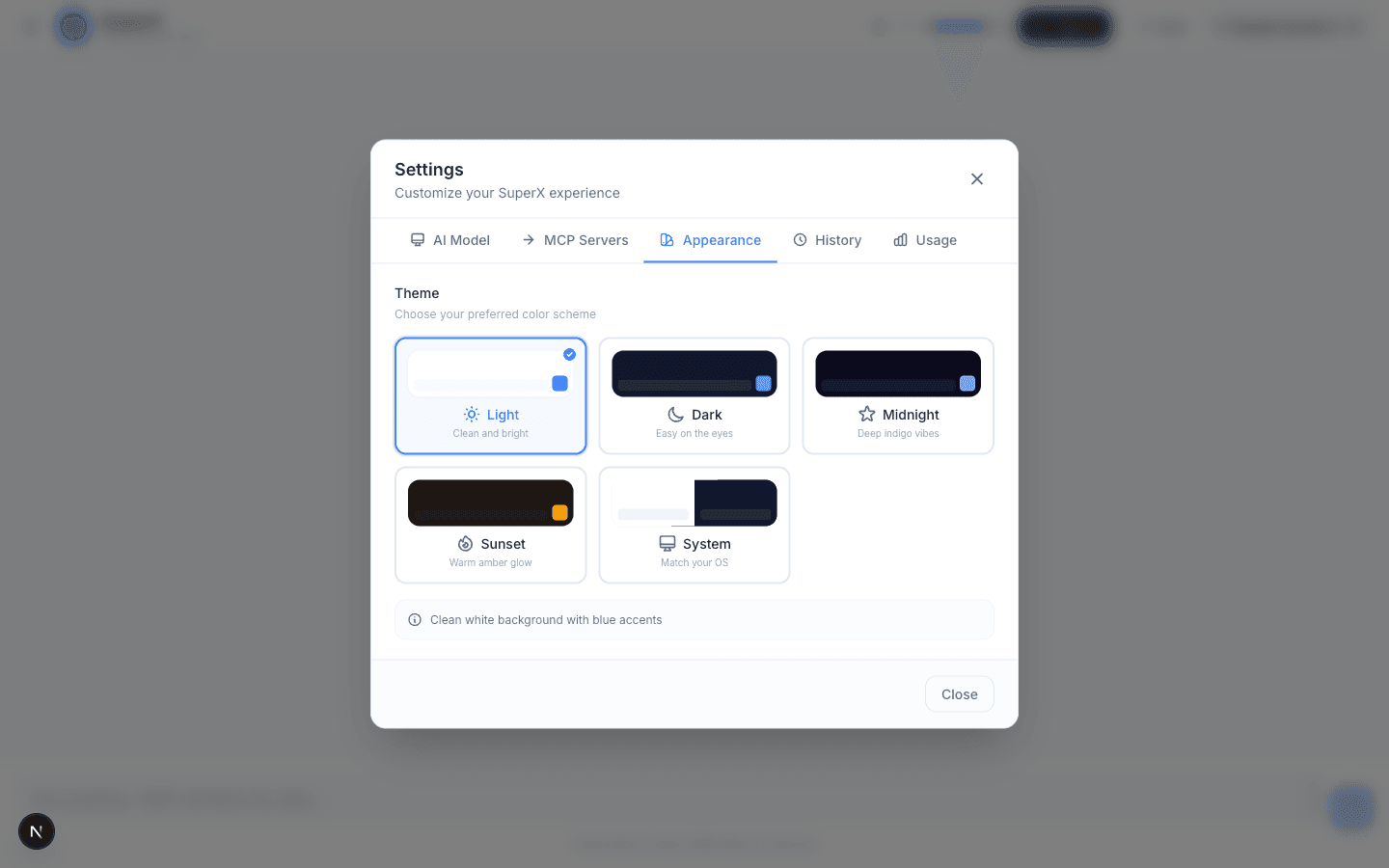
5 beautiful themes: Light, Dark, Midnight, Sunset, System
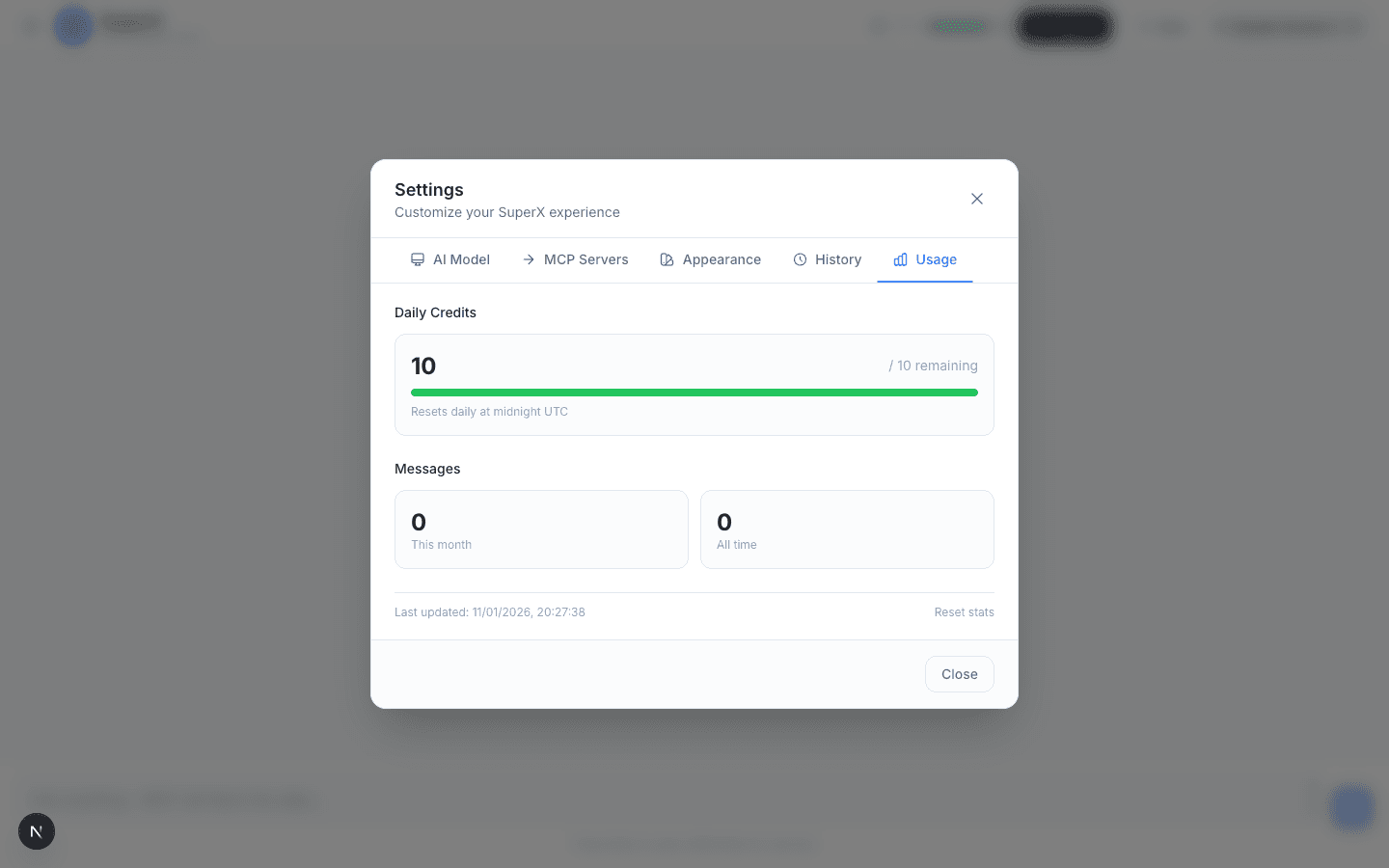
Usage tracking with daily credits and message stats
Mobile Experience
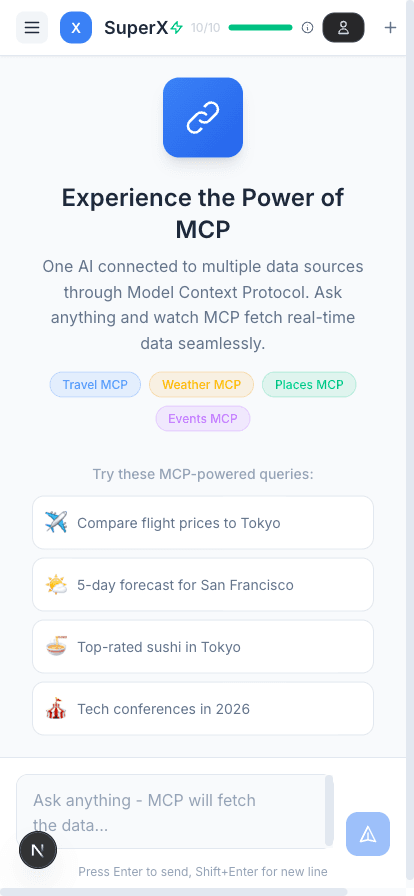
Fully responsive mobile interface
Sample Prompts
SuperX displays rotating MCP-powered query suggestions. Here are examples of what you can ask:
Travel MCP
- "Find flights to Paris next week"
- "Search flights from NYC to London"
- "Compare flight prices to Tokyo"
- "Find flights from London to Dubai"
Hotels MCP
- "Hotels near Times Square NYC"
- "Budget stays in Amsterdam"
- "Find luxury hotels in Dubai"
- "Accommodations in Tokyo"
Weather MCP
- "What's the weather in Tokyo?"
- "5-day forecast for San Francisco"
- "Current temperature in Sydney"
- "Weather forecast for London"
Places MCP
- "Best restaurants in London"
- "Italian restaurants near me"
- "Top-rated sushi in Tokyo"
- "Coffee shops in Seattle"
Events MCP
- "Concerts happening this weekend"
- "Tech conferences in 2026"
- "Art exhibitions in Paris"
- "Sports events in Barcelona"
Web Search MCP
- "Visa requirements for Japan"
- "Travel advisories for Europe"
- "Best time to visit Bali"
- "Popular attractions in Rome"
Supported AI Models
SuperX supports 10 AI models across 4 providers. Users can bring their own API keys for unlimited usage.
OOpenAI
- Default
GPT-3.5 Turbo
Fast & cost-effective
GPT-4o Mini
Great balance of speed and quality
GPT-4o
Most capable, best quality
AAnthropic
Claude Sonnet 4
Best balance of speed and quality
Claude Opus 4
Most capable, deep reasoning
GGoogle AI
Gemini 2.0 Flash
Fast and efficient
Gemini 1.5 Pro
High capability, longer context
GGroqFree tier
Llama 3.3 70B
Powerful open model, very fast
Mixtral 8x7B
Great for complex tasks
Built-in MCP Tools
SuperX includes 6 built-in MCP tools for travel planning, plus support for custom MCP servers.
| Tool | Server | Description | Parameters |
|---|---|---|---|
| search_flights | Travel | Search flights between cities | destination, date, departure, cabin, passengers |
| search_hotels | Travel | Find accommodations in a city | location, checkIn, checkOut, guests, rooms |
| get_weather | Weather | Current weather and forecasts | city |
| search_restaurants | Places | Restaurant discovery | location, cuisine, priceLevel |
| search_events | Events | Concerts, shows, sports | location, date, eventType |
| web_search | Search | Real-time web search via Perplexity | query |
Custom MCP Integrations
Beyond built-in tools, SuperX supports 12+ popular MCP server integrations:
GitHub
Repos, issues, PRs
Slack
Messages, channels
Notion
Pages, databases
Linear
Issues, projects
Google Drive
Files, Docs, Sheets
Jira
Issues, sprints
Discord
Messages, servers
Trello
Boards, cards
Airtable
Databases, records
Figma
Designs, files
Asana
Tasks, workflows
Confluence
Wiki pages
Key Features
Chat Experience
- Real-time streaming responses
- Tool call cards with results
- Markdown rendering with syntax highlighting
- Multi-step tool execution (up to 5 steps)
- Stop/cancel mid-stream responses
Session Management
- Persistent chat history (localStorage)
- Multiple concurrent sessions (up to 50)
- Auto-generated session titles
- Session grouping by date
- Export/import chat data
Authentication & Rate Limiting
- Google OAuth authentication
- Anonymous: 10 requests/day
- Authenticated: 25 requests/day
- Sliding window rate limiting
- Real-time credits display with countdown
Customization
- 5 themes: Light, Dark, Midnight, Sunset, System
- BYOK for all providers
- Custom MCP server support
- History retention settings
- Enable/disable built-in tools
Technical Architecture
Frontend Stack
- Framework: Next.js 16 App Router
- UI Library: React 19 with hooks
- Language: TypeScript 5
- Styling: Tailwind CSS v4
- AI SDK: Vercel AI SDK (@ai-sdk/*)
- Markdown: react-markdown + remark-gfm
Key Dependencies
- @ai-sdk/anthropic
- @ai-sdk/openai
- @ai-sdk/google
- @ai-sdk/groq
- clsx + tailwind-merge
- react-markdown + remark-gfm
Privacy & Security
- Local Storage: All API keys, settings, and chat history stored locally in browser
- No Server Storage: Your credentials are never sent to or stored on our servers
- Secure Auth: Google OAuth with secure session management
- Rate Limiting: Protection against abuse with per-user daily limits